

Introduction
Starting a blog is one of the simplest ways to share your knowledge, build an online presence, or create a platform for your business. You don’t need coding skills, professional writing experience, or expensive equipment to begin.
However, creating a successful blog requires more than choosing a website name and publishing random articles. You need a clear topic, a reliable blogging platform, useful content, and a realistic plan for attracting readers.
If you’re wondering how to start a blog, this beginner-friendly guide walks you through the complete process, from choosing your niche to publishing your first post and exploring ways to earn money.
What Is a Blog, and How Does It Work?

A blog is a website, or a section of a website, where articles are published regularly. These articles are called blog posts and typically focus on specific topics, questions, experiences, or tutorials.
For example, a fitness blogger might publish workout routines, while a technology blogger could explain software tools and troubleshooting methods.
When someone searches for information on Google, a relevant blog post may appear in the search results. If the reader clicks the result, they visit your website.
Over time, useful articles can attract visitors through search engines, social media, email newsletters, and links from other websites.
A blog can serve several purposes:
- Share knowledge and personal experiences.
- Build credibility in a particular field.
- Promote products or professional services.
- Connect with readers who have similar interests.
- Create opportunities for affiliate income or advertising.
The most important starting point is understanding who your readers are and what they want to learn.
Step 1: Choose a Profitable Blog Niche
A blog niche is the main subject your website focuses on. Choosing a clear niche helps readers understand your content and makes planning future articles easier.
Popular blogging niches include personal finance, technology, health and fitness, education, travel, food, home improvement, and digital marketing.
Instead of selecting a broad topic like technology, you might focus on affordable laptops for students or helpful software for small businesses.
How to Find the Right Niche
Consider these three questions:
- What topics can I explain confidently?
- What problems do people regularly search for?
- Can I publish useful articles about this subject consistently?
Use Google Trends to explore topic interest and Google Search to understand common reader questions.
Avoid choosing a niche solely because someone claims it generates high income. Genuine knowledge and long-term interest matter when developing helpful content.
Step 2: Pick a Memorable Blog Name
Your blog name represents your website and helps visitors recognize your brand.
Choose something easy to pronounce, spell, and remember. Ideally, the name should relate to your subject without restricting future expansion.
For example, a blog dedicated to gardening could use a name suggesting plants, gardens, or outdoor living.
Before finalizing your name, check whether the matching domain and relevant social media usernames are available.
Avoid unusual spelling, unnecessary numbers, and names that closely resemble established brands.
A short, recognizable name is generally easier to share than a complicated one.
Step 3: Register a Domain Name and Buy Hosting
A domain name is your website’s address, such as example.com. Web hosting stores the files that make your website accessible online.
To start a blog from scratch using a self-hosted platform, you’ll typically need both.
Choosing a Domain Name
Look for a domain that is:
- Short and recognizable.
- Relevant to your brand.
- Easy to type.
- Free from trademark conflicts.
The .com extension is a familiar option, although other extensions may suit your website.
Choosing Web Hosting
When comparing hosting providers, consider website performance, customer support, backups, security, renewal pricing, and WordPress compatibility.
Don’t make your decision based only on introductory discounts. Review the total cost and what happens when the initial offer expires.
Many hosts provide guided WordPress installation, making the technical setup manageable for beginners.
Step 4: Choose the Best Blogging Platform
A blogging platform is the software used to create, organize, and publish your posts.
Several options are available, including WordPress, Wix, Blogger, and hosted publishing services.
For beginners who want ownership and flexibility, self-hosted WordPress is a strong option.
Why Consider WordPress?
WordPress supports themes, plugins, categories, pages, and many content-management features.
You can change your website’s appearance without rewriting its content, add features when needed, and manage posts through a dashboard.
Remember that WordPress.org software and WordPress.com hosting plans are different offerings.
If you prefer a simpler setup with fewer technical responsibilities, a managed website builder may be more convenient.
Choose based on your budget, maintenance preferences, and long-term goals rather than assuming one platform suits everyone.
Step 5: Install WordPress and Design Your Blog
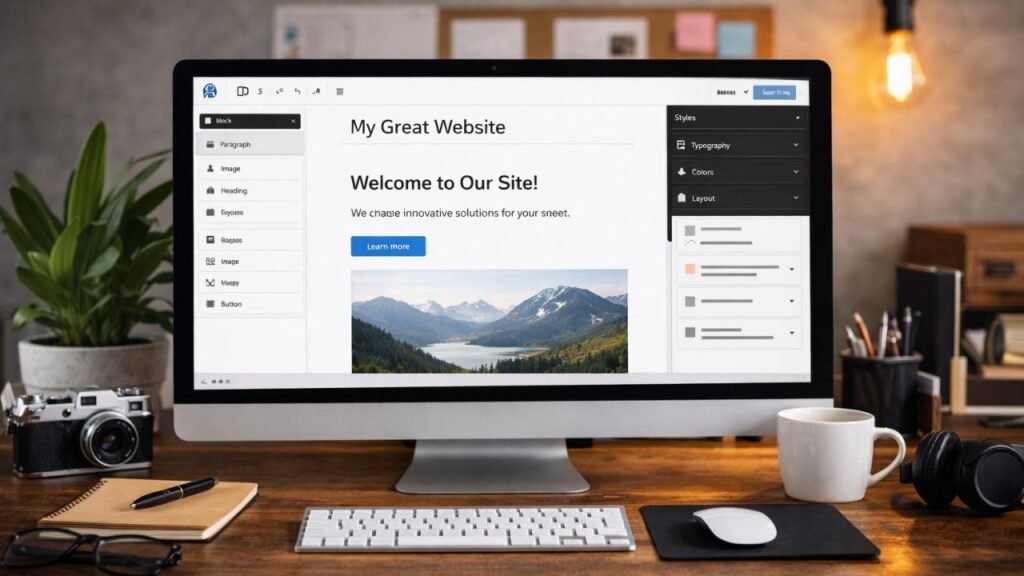
After connecting your domain and hosting, install WordPress using your hosting provider’s setup process.
Once installation is complete, sign in to your WordPress dashboard.
Your first priority should be creating a clean, easy-to-navigate website.
Select a Responsive Theme
Choose a theme that works properly on mobile phones, tablets, and desktop computers.
A good blog design should include:
- Readable typography.
- Clear menus and navigation.
- Comfortable spacing between paragraphs.
- Fast-loading pages.
- A consistent color scheme.
- An easy-to-find search or category structure.
You don’t need complicated animations or dozens of plugins.
Start with a simple theme and customize your logo, colors, homepage, and menu.
Next, create essential pages such as About, Contact, and Privacy Policy. Include relevant disclosures when publishing sponsored or affiliate content.
Step 6: Research Keywords Before Writing
Keyword research helps you understand the language people use when searching online.
For example, someone interested in blogging might search for “how to start a blog for beginners,” “how much does blogging cost,” or “how to write your first blog post.”
Each search reveals a specific question or need.
How to Find Blog Post Ideas
Start by entering your main topic into Google and examining related searches and suggested questions.
You can also explore Google Trends and keyword research platforms to identify relevant subjects.
For a new website, specific questions are often useful starting points.
Instead of targeting only “blogging,” write a focused article answering “how to choose a blog niche.”
These longer, more specific phrases may help you address clearer reader needs, although they are not automatically easier to rank for.
Create a content plan containing your target topic, intended audience, working title, and main question each article should answer.
Step 7: Write and Publish Your First Blog Post
Your first article doesn’t need to be perfect. It should solve a genuine problem clearly and accurately.
Begin by choosing one topic, researching it carefully, and preparing a logical outline.
Structure Your Blog Post Properly
An effective article usually includes:
- A descriptive H1 title.
- An introduction explaining what readers will learn.
- H2 headings covering major sections.
- H3 headings for relevant subtopics.
- Practical explanations, examples, and instructions.
- A conclusion suggesting the next useful action.
Write naturally and avoid repeating the same keyword excessively.
For tutorial articles, screenshots or original photographs can make instructions easier to follow.
Review spelling, check factual claims, and remove unnecessary sentences before publishing.
Most importantly, make sure readers can complete the task described in your title.
Step 8: Optimize Your Blog for SEO
Search engine optimization, or SEO, helps search engines discover and understand your website’s content.
Good SEO begins with useful information, but several technical and on-page improvements also matter.
On-Page SEO Basics
Use a descriptive title containing your main topic, preferably near the beginning when it reads naturally.
Write a clear meta description summarizing the article and encouraging relevant readers to visit.
Keep your URLs readable. For example, /how-to-start-a-blog/ is more descriptive than a URL containing unrelated numbers.
Add internal links to related articles so visitors can explore your website.
Use relevant external links when referencing official documentation or supporting important claims.
Technical SEO Essentials
Make sure your blog is accessible on mobile devices, uses HTTPS, and loads efficiently.
Check that important pages are not accidentally blocked from search engines.
Create an XML sitemap and submit it through Google Search Console when appropriate.
Use descriptive image filenames and alternative text. Compress large images without making them difficult to read.
SEO isn’t a one-time checkbox. Review your content and website performance as your blog develops.
Step 9: Promote Your Blog and Attract Readers
Publishing an article doesn’t mean people will immediately discover it.
New websites often need time to establish visibility and earn readers’ trust.
Begin by sharing genuinely useful posts with relevant communities where self-promotion is allowed.
If your audience uses Pinterest, YouTube, LinkedIn, or other social networks, adapt your promotion to those platforms.
For example, turn a detailed tutorial into a short educational video or a visual checklist that links back to the full guide.
An email newsletter can also help interested readers discover your newest posts.
Avoid buying traffic or participating in link schemes that promise instant rankings.
Focus on answering questions better, promoting your work responsibly, and building relationships with your audience.
Step 10: Explore Ways to Make Money Blogging
Once your blog attracts a relevant audience, you can explore monetization opportunities.
However, blogging income is never guaranteed, and many websites earn little or nothing, especially at the beginning.
Affiliate Marketing
Affiliate marketing involves recommending relevant products or services and earning a commission when qualifying purchases occur through your links.
Choose products carefully and disclose affiliate relationships clearly.
Display Advertising
Advertising networks may pay publishers based on impressions, clicks, or other arrangements, depending on the program.
Eligibility requirements and earnings vary considerably.
Digital Products and Services
Bloggers can also sell ebooks, templates, educational resources, consulting, or other services related to their expertise.
For many beginners, building a useful content library and understanding the audience should come before aggressive monetization.
Common Blogging Mistakes to Avoid
Several mistakes can slow your progress.
Publishing unrelated articles makes it harder to build a recognizable focus. Copying other websites weakens originality and can create copyright problems.
Ignoring mobile usability, publishing misleading titles, and leaving broken links unresolved also create poor reader experiences.
Another common mistake is expecting immediate traffic after publishing a few posts.
Instead, develop a manageable publishing routine and improve your articles when you learn something new.
Quality, consistency, and helpfulness are more valuable than publishing content simply to reach a word-count target.
Final Thoughts
Learning how to start a blog becomes easier when you follow a clear sequence: choose a niche, register your domain, select a platform, design your website, and publish helpful content.
After launching, focus on understanding your readers, improving your articles, and measuring performance through tools such as Google Search Console.
You don’t need to master every blogging skill before publishing your first article. Start with one question you can answer well, create a useful post, and build from there.
Your next step is simple: choose your blog niche and prepare a list of five questions your future readers want answered.
Frequently Asked Questions About Starting a Blog
1. Can I start a blog for free?
Yes. Some blogging platforms offer free plans or publishing options. However, free services may limit customization, domain choices, or monetization features. A self-hosted blog usually requires hosting and a domain.
2. How much does it cost to start a blog?
Costs depend on your domain, hosting provider, platform, and optional services. Compare renewal prices and necessary features before paying. You can begin with a basic setup rather than purchasing premium tools immediately.
3. Do I need coding skills to start a blog?
No. WordPress and many website builders provide dashboards and visual tools for creating pages, publishing posts, and changing designs without writing code.
4. How long does it take for a new blog to get traffic?
There is no fixed timeline. Search visibility depends on competition, content quality, technical accessibility, site reputation, and other factors. Some pages gain attention quickly, while others take considerably longer.
5. How many blog posts should I publish each month?
Choose a schedule you can maintain without sacrificing accuracy or usefulness. A few thoroughly researched posts can serve readers better than numerous repetitive articles.


Footer Editor WordPress: How to Edit Your Footer
[…] Read more: how to start a blog […]